> ## Documentation Index
> Fetch the complete documentation index at: https://kb.micro1.ai/llms.txt
> Use this file to discover all available pages before exploring further.
# Customize Job Stages
> How to customize the job stages. Stages are used to organize your candidates and move them through the hiring process.
## Add a new stage
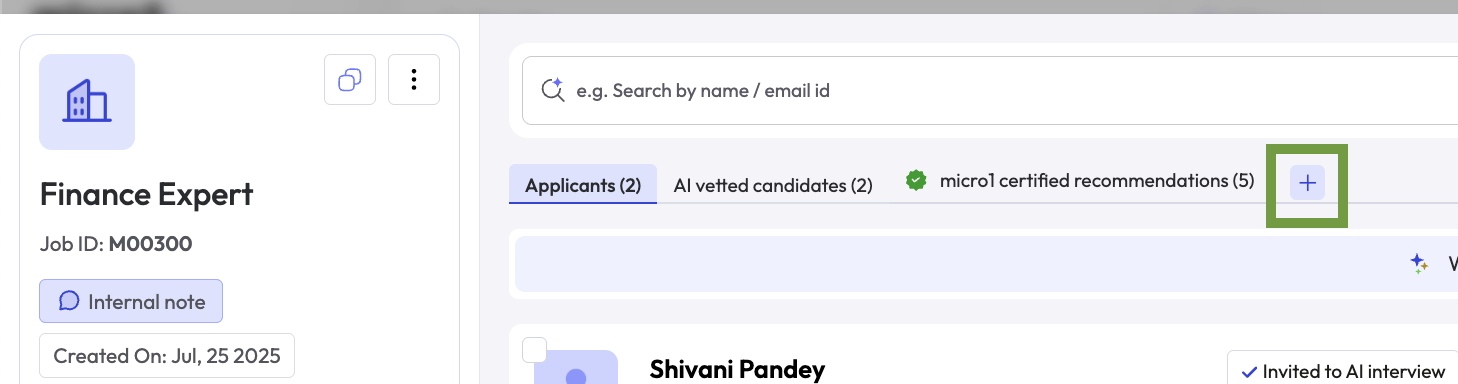
To add a new stage, click on the **+** button in the top section of the page, where the other stages are listed.
1. Click on the **+** button in the top section of the page.
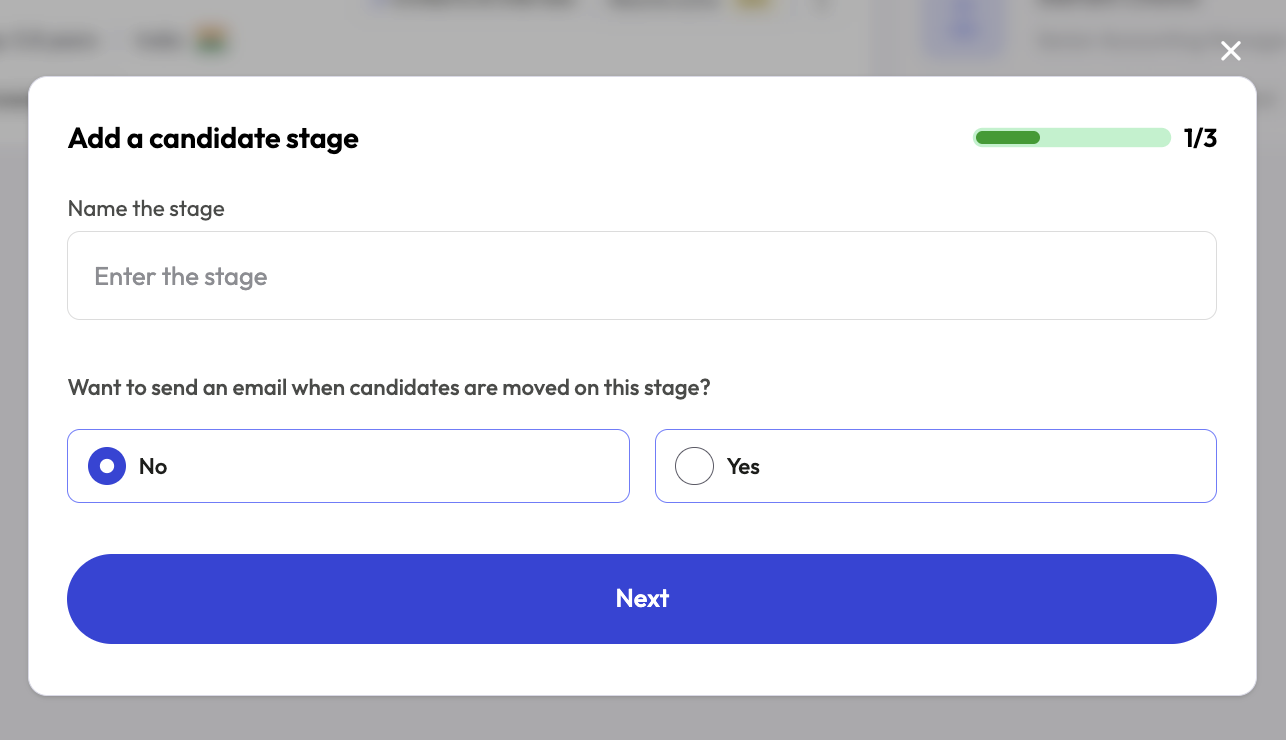
 2. Fill the stage name and click **Next**.
3. Optionally, you can set up an email automation to send an email to the candidate when they are moved to this stage.
2. Fill the stage name and click **Next**.
3. Optionally, you can set up an email automation to send an email to the candidate when they are moved to this stage.
 4. Click **Next**.
5. Optionally, if you have an ATS integration set up, you can choose to send the candidate data back to the ATS if they're moved to this stage. By default, this option is disabled.
4. Click **Next**.
5. Optionally, if you have an ATS integration set up, you can choose to send the candidate data back to the ATS if they're moved to this stage. By default, this option is disabled.
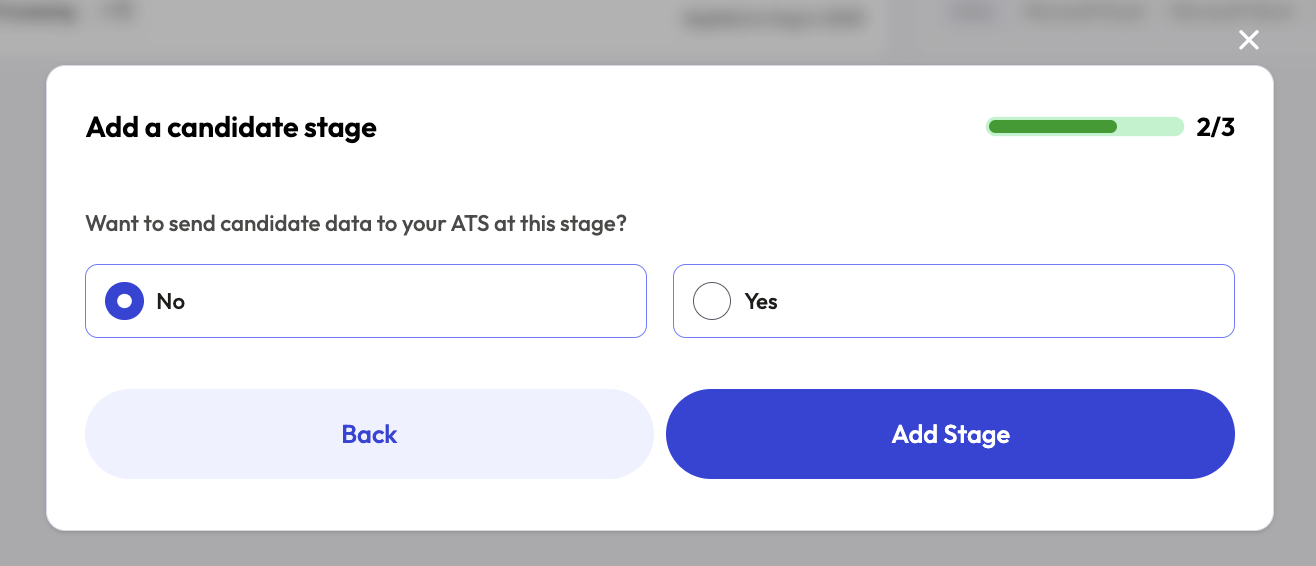 6. Click on **Add Stage** to finalize the process.
## Edit or Delete a stage
To edit or Delete a stage, click on the stage and you will see an **Edit** and a **Delete** buttons in the top center of the page.
6. Click on **Add Stage** to finalize the process.
## Edit or Delete a stage
To edit or Delete a stage, click on the stage and you will see an **Edit** and a **Delete** buttons in the top center of the page.
