> ## Documentation Index
> Fetch the complete documentation index at: https://kb.micro1.ai/llms.txt
> Use this file to discover all available pages before exploring further.
# Analytics
> Track key metrics across your interviews and jobs with the Analytics Dashboard.
## Overview
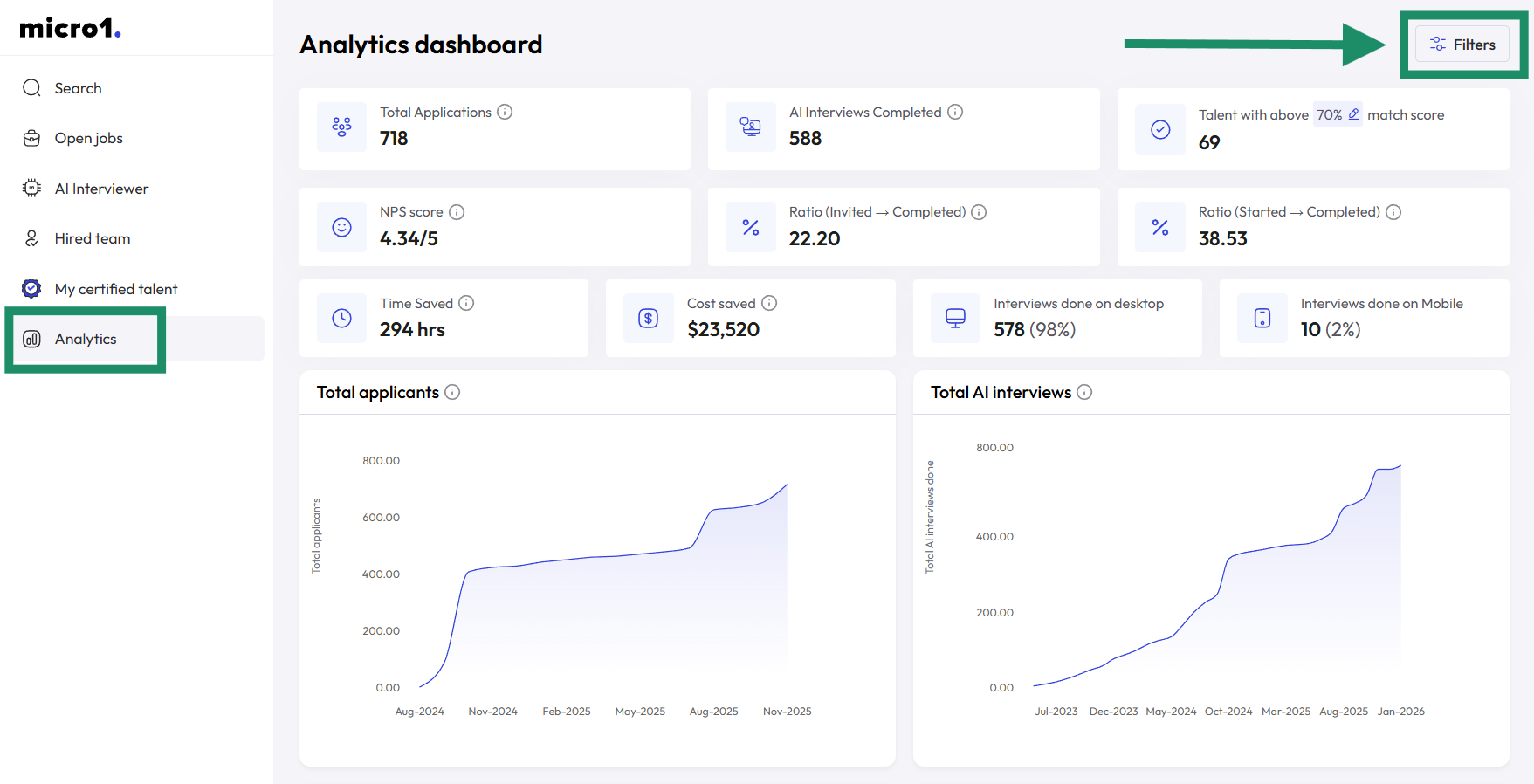
The [Analytics Dashboard](https://www.zara.micro1.ai/analytics) provides a comprehensive view of your interview and job performance.\
Use it to monitor platform activity, candidate engagement, and AI performance in real time.
## KPIs
The dashboard highlights several key metrics, including:
1. **Time saved by using Zara** – estimated recruiter hours saved by automating interviews with Zara.
2. **NPS score** – candidate satisfaction based on post-interview feedback.
3. **Completion rate** – percentage of invited candidates who successfully complete their interviews.
Additional metrics may include candidate activity trends, average interview duration, and overall platform usage.
## Filters
Filters allow you to focus on specific data ranges or segments, helping you track performance by role, location, or time frame.
You can filter your analytics by **time period**, **job name**, or **country** using the **Filters** button at the top-right corner of the page.