> ## Documentation Index
> Fetch the complete documentation index at: https://kb.micro1.ai/llms.txt
> Use this file to discover all available pages before exploring further.
# Email Templates
> How to find and create email templates to be used in Jobs and communicate with candidates.
# Email Templates
## Overview
Email templates allow you to create reusable email content for candidate communications.
## Finding the Email Templates Page
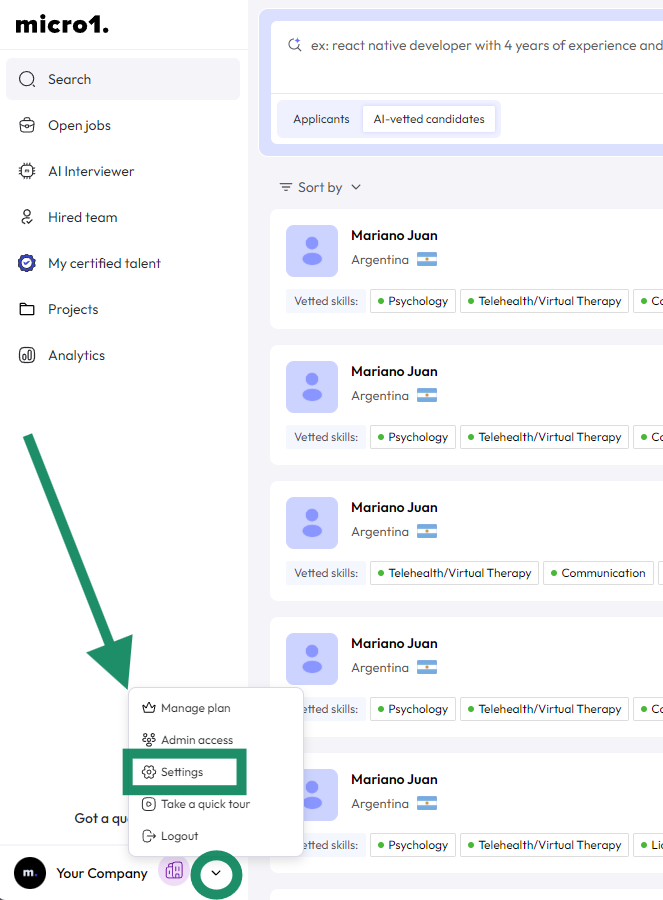
1. Log in to your dashboard
2. Navigate to **Settings**
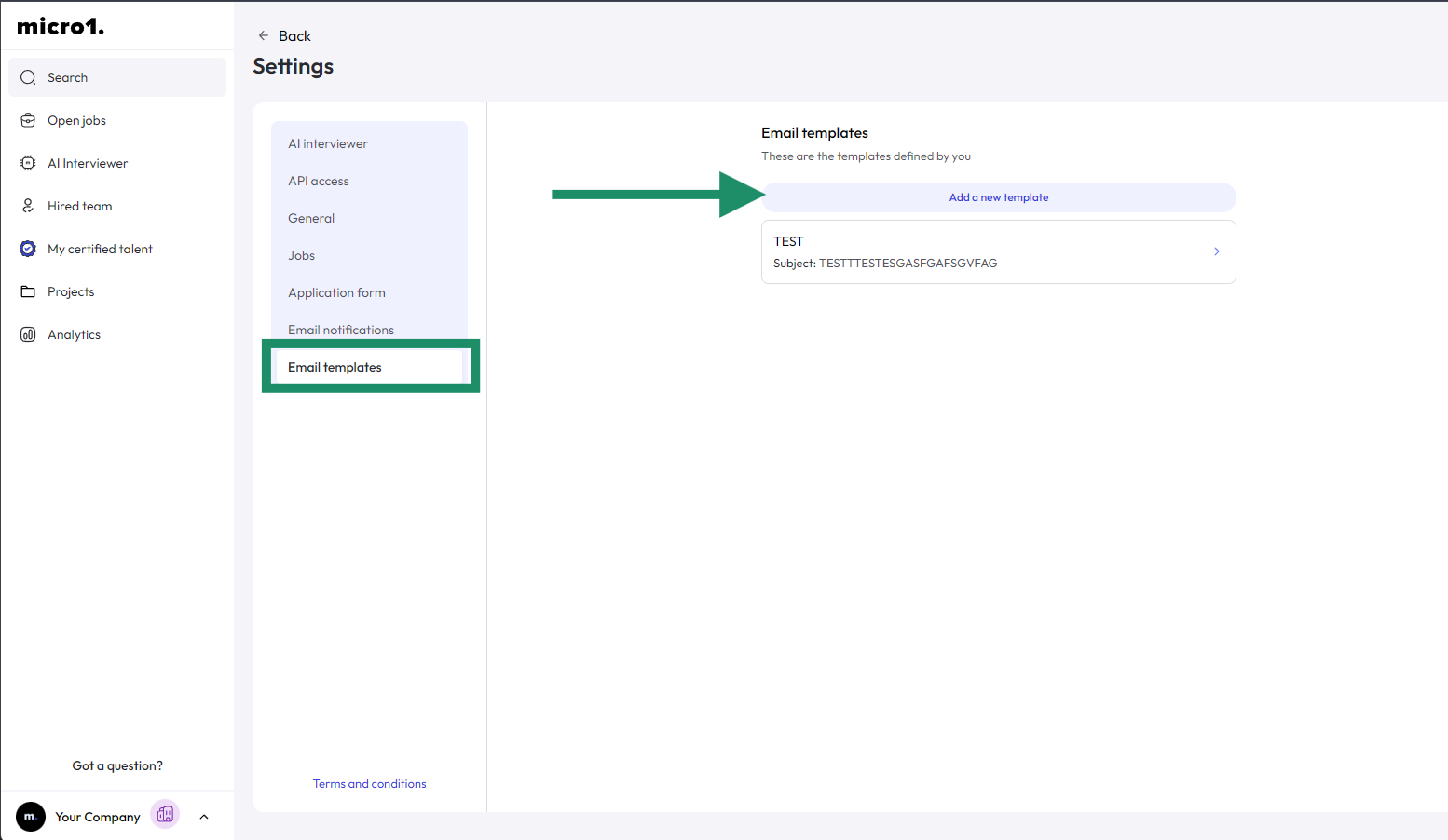
3. Select **Email Templates**
 ## Creating a New Template
* Click **Add a new template** button
* Enter email name, subject, content, etc.
* Find more details about [Dynamic Tags here](/kb\jobs\customize-interview-invite-email)
* Save and activate
## Creating a New Template
* Click **Add a new template** button
* Enter email name, subject, content, etc.
* Find more details about [Dynamic Tags here](/kb\jobs\customize-interview-invite-email)
* Save and activate