> ## Documentation Index
> Fetch the complete documentation index at: https://kb.micro1.ai/llms.txt
> Use this file to discover all available pages before exploring further.
# Manage Billing
> How to manage your plan, billing, and invoices.
To manage your current plan and billing settings:
1. Go to [Settings](https://www.zara.micro1.ai/settings) by clicking the arrow in the bottom-left corner of your page.
2. Inside **Settings**, click the **AI Interviewer** tab.
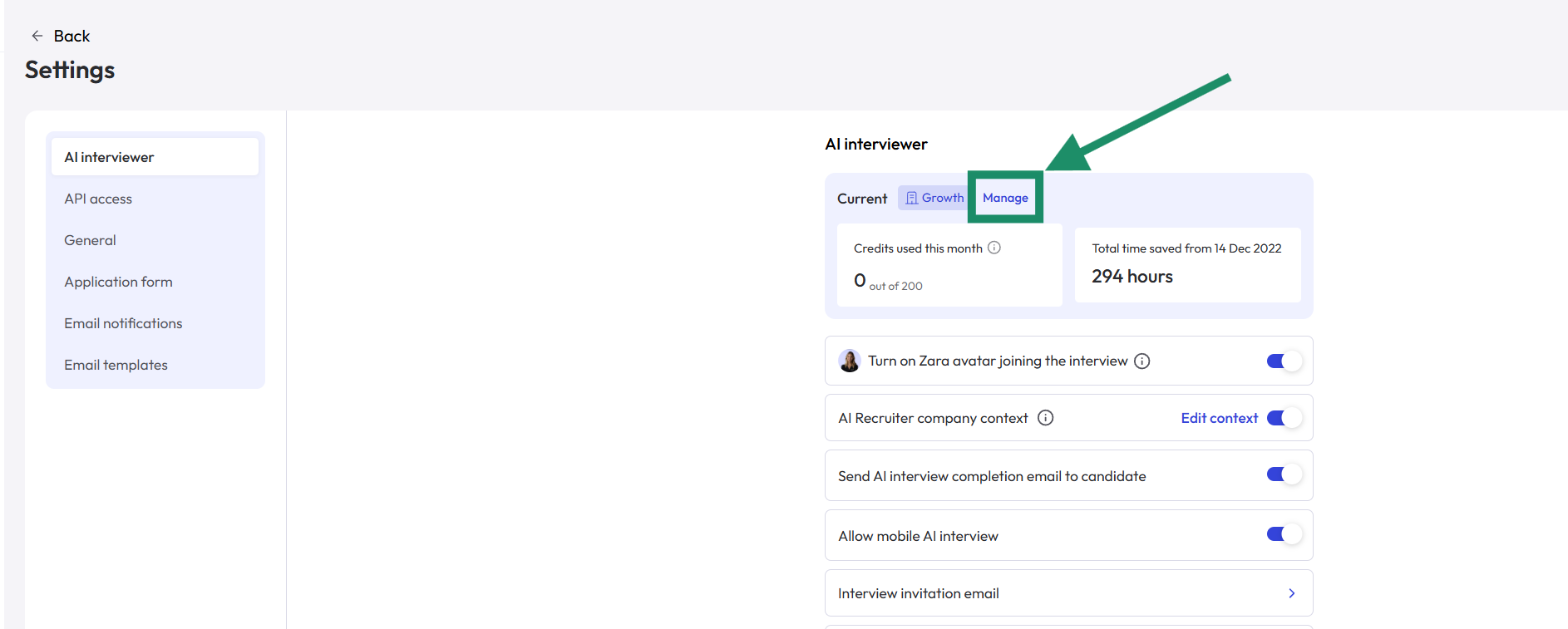 3. At the top of the page, click **Manage your AI Interviewer plan**.
4. In this section, you can view your plan details and manage billing. Click the **Manage Billing** button.
3. At the top of the page, click **Manage your AI Interviewer plan**.
4. In this section, you can view your plan details and manage billing. Click the **Manage Billing** button.
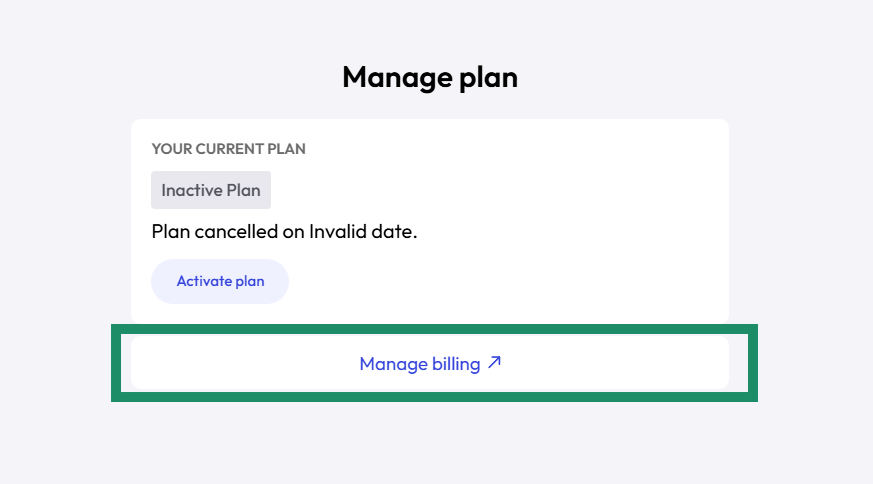 The **Manage Billing** button opens **Stripe** in a new tab. From there, you can view all invoices, update payment methods, and edit billing information.