

- Copy interview link and share it directly with the candidate
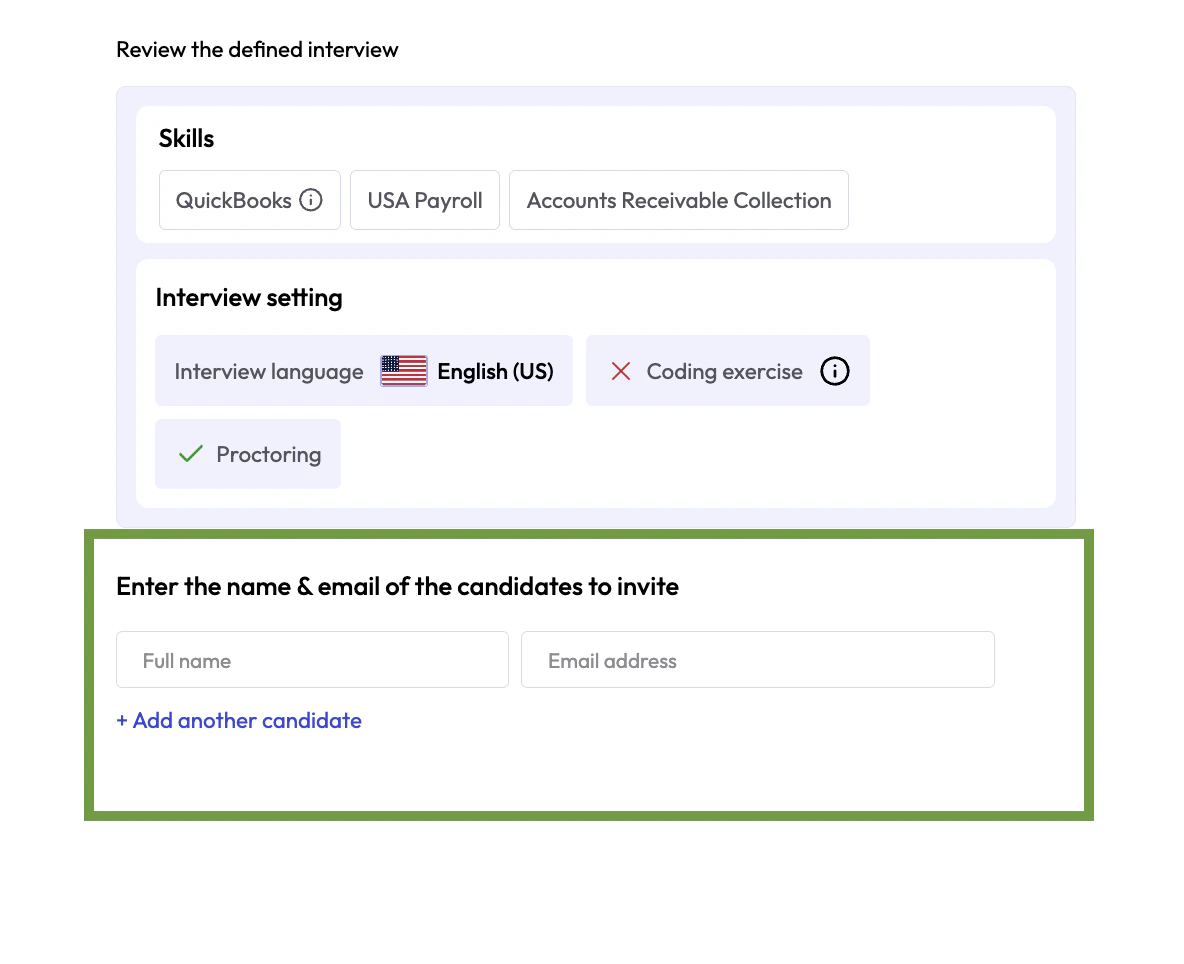
- Manually invite candidate through the job application
- Automatically invite all candidates that apply to the job
- Upload a list of candidates
Copy Interview Link
On the left side panel, click on the AI Interviewer tab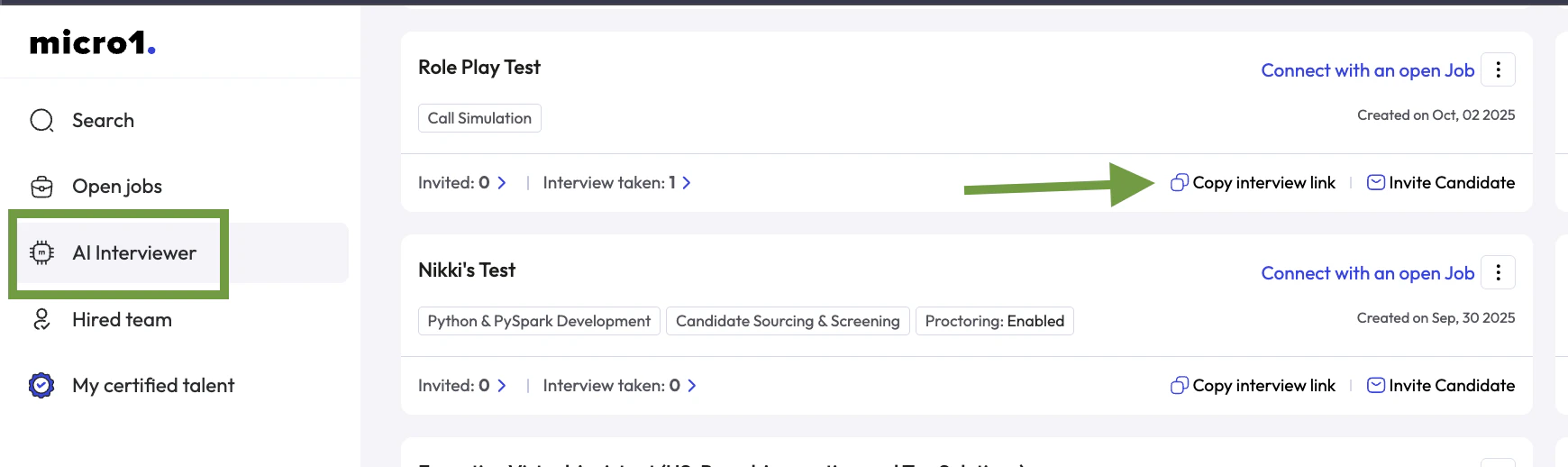
Manually Invite Candidates
Open a job and click on the Invite Candidates blue button.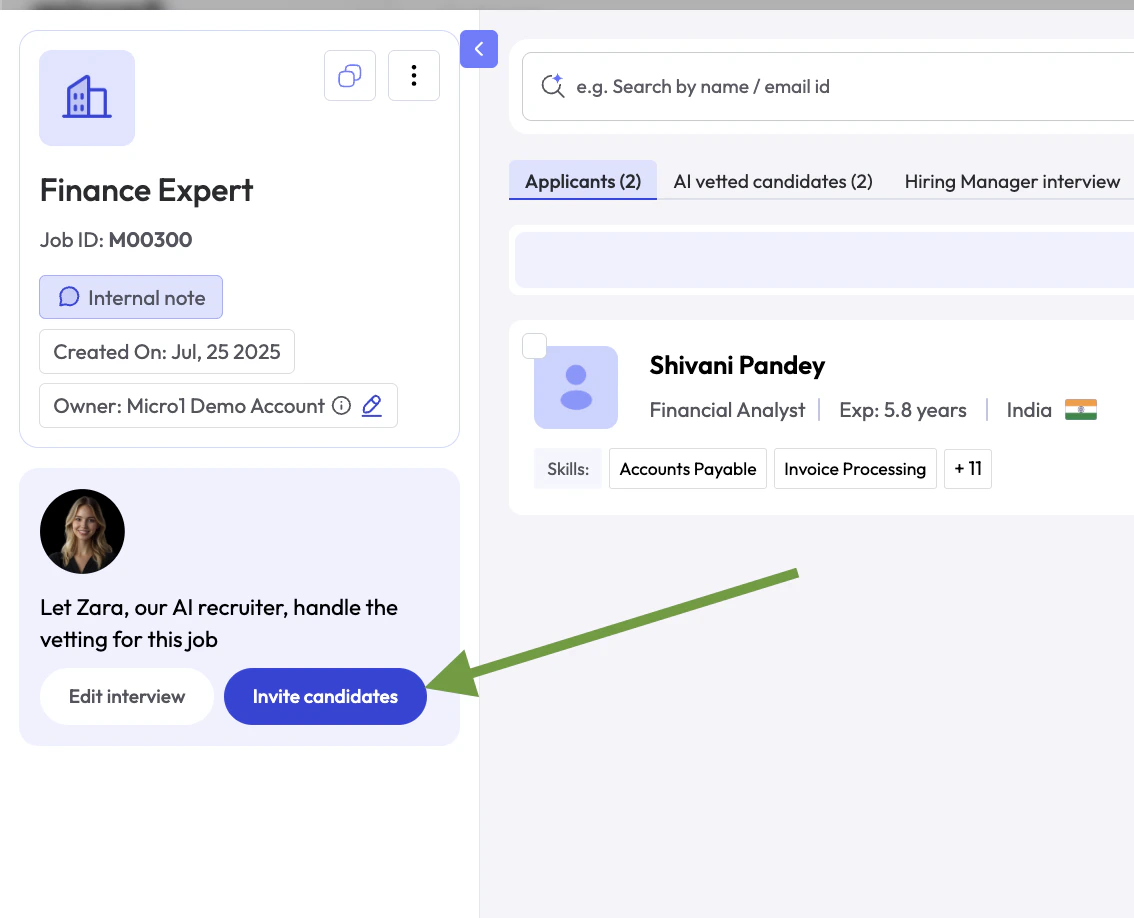
Automatically Invite Candidates
Once you create an invterview for a job, it will automatically toggle ON the Auto-invitation Feature, which means that every new candidate that applied for the job or gets manually uploaded will be automatically invited to take the interview.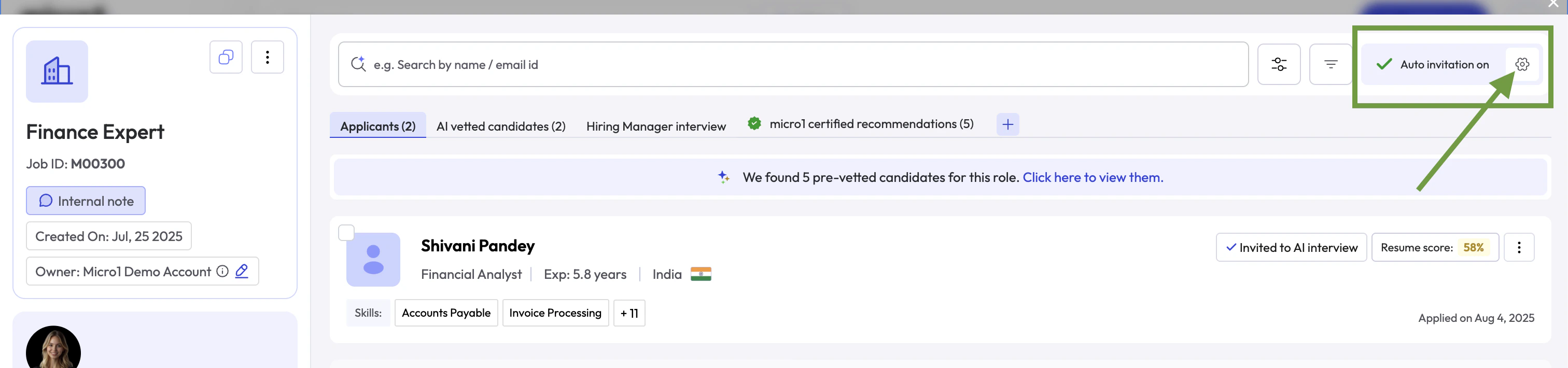
Upload Candidates
Follow these steps to upload candidates in bulk via CSV:- In the Jobs list, click on the job where you want to upload candidates.
-
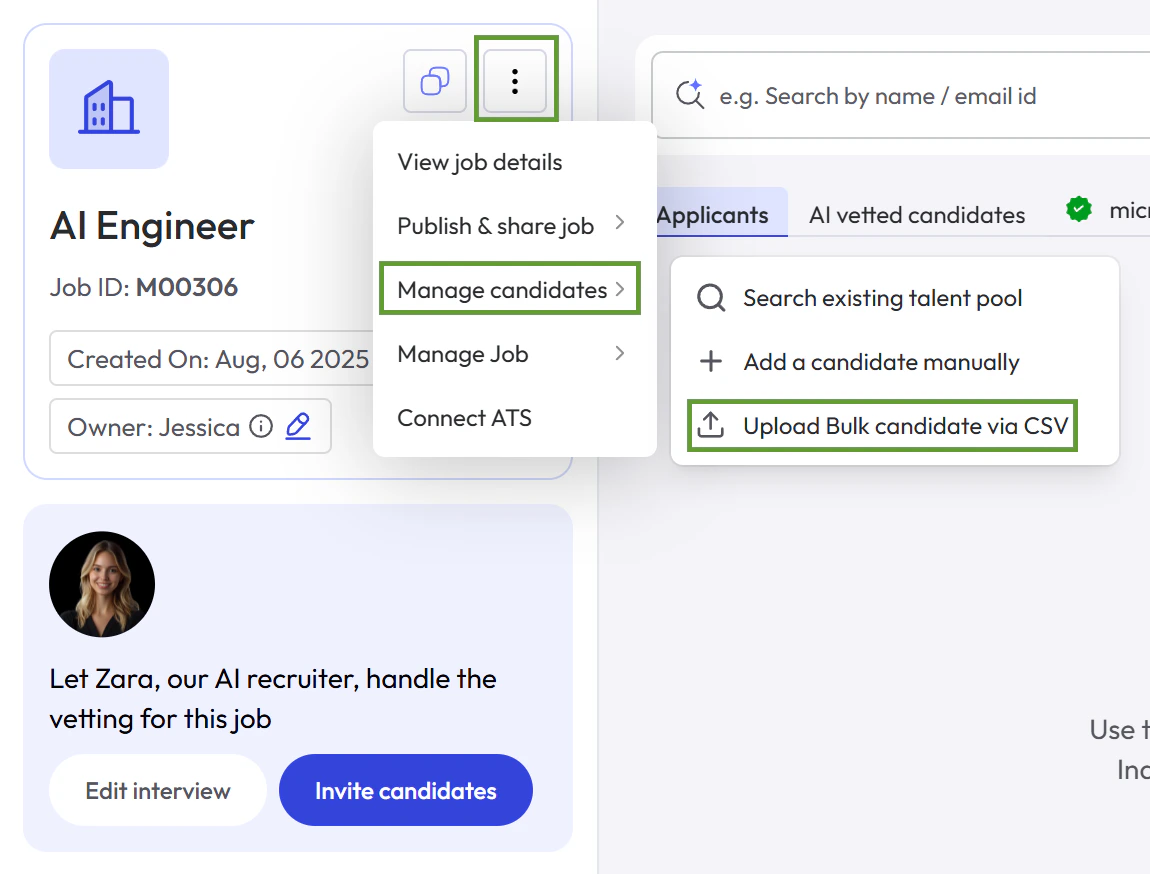
Click the three dots menu, select Manage candidates, then click Upload Bulk Candidate via CSV.
-
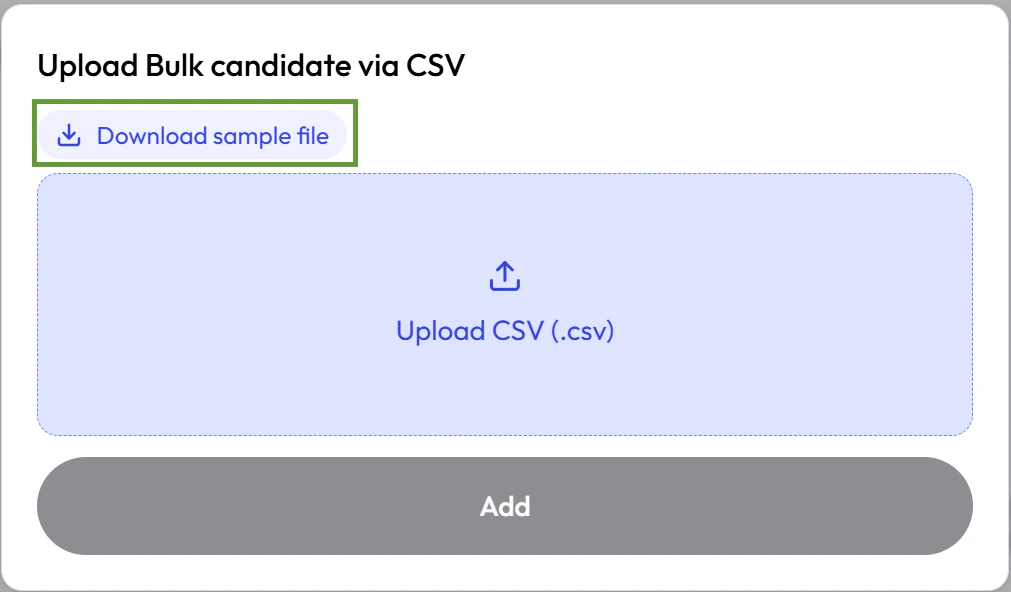
Click Download sample file to get a template.
- Open the sample file and paste your candidate data, or ensure your CSV file matches the column names and order from the sample.
- Click Upload CSV (.csv) and select your file.
- Click Add to complete the upload.