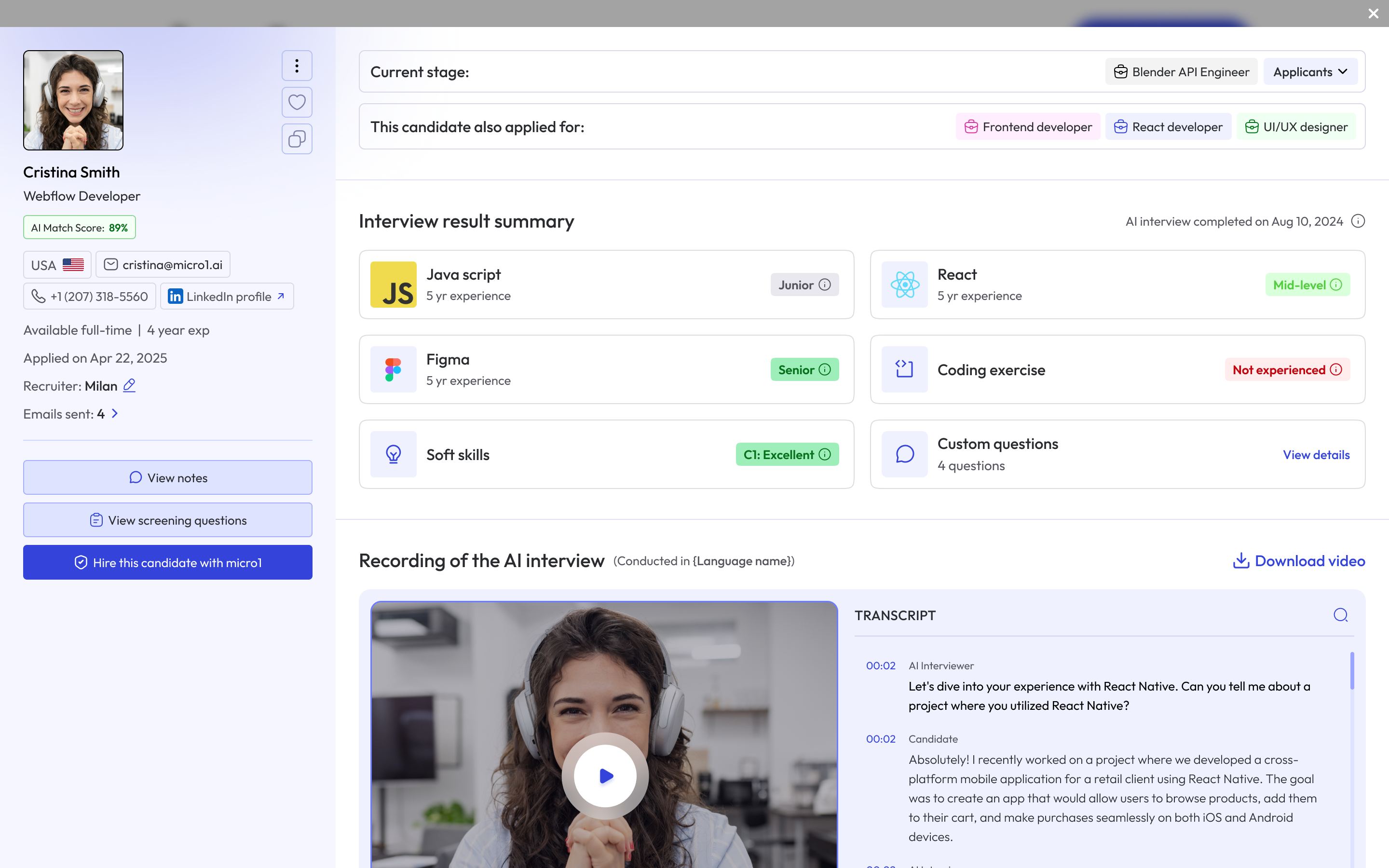
The Interview Report provides a comprehensive summary of each candidate’s performance, helping recruiters make informed decisions about whether to move a candidate forward or conclude their hiring journey. Interview Report

Left Panel

The left panel displays essential candidate details, including:
  • 👤 Name
  • 📧 Email
  • 📞 Phone number
  • 📅 Interview completion date
  • 📊 AI Match Score
This panel also offers quick actions:

Download Interview Report (PDF)

  1. Click the three dots menu.
  2. Select “Download interview result PDF”.

Mark Candidate as Favorite

  1. Click the heart icon.

Share the Report

  1. Click the copy icon to copy the public URL of the report.
Anyone with the link can access the interview report.Share only with individuals authorized to view candidate data.

Interview Result Summary

This section displays ratings across all evaluated areas:
Hover over the icon next to any element to view a detailed explanation of how Zara calculated the rating.

Recording of the AI Interview

You can view the full video recording of the AI interview and read the transcript of the conversation. Each paragraph in the transcript is interactive—clicking on any sentence will automatically jump the video to that exact moment, making it easy to review specific parts of the discussion.
After the interview is completed, a low-resolution video will be available immediately. The high-resolution version may take up to 30 minutes to process.
Transcript accuracy depends on the candidate’s speech clarity and audio quality. Background noise or poor audio conditions may also affect Zara’s ability to convert speech to text reliably.

Proctoring Result

If proctoring is enabled for the interview, this section will display the candidate’s Proctoring Score, which reflects the integrity and reliability of the interview environment. To learn more about how proctoring works, see What is Proctoring.

Additional Candidate Information

Sections such as About, Experience, and Education will appear as a summary extracted from the candidate’s résumé—provided they uploaded one during the application process.