During an interview it is best practice to let the candidate ask a few questions about the company. Usually they need to know how big the company is, what it does, what benefits it offers, and others. By filling your company context you provide Zara information to promptly respond your candidates when they ask such questions. When the company context feature is enabled, Zara will provide few minutes to let candidates ask their questions about the company. If there are questions made that cannot be answered by the information provided in your company context, Zara will gracefully tell the candidate that she cannot provide an answer and the recruitment team will address it in future steps of the hiring process.
The company context will be used for all interviews. Make sure to provide only information that applies to all your job offers.
To enable using the company context information in your account:
  1. Click on the little arrow, in the bottom left of the page and then Settings.
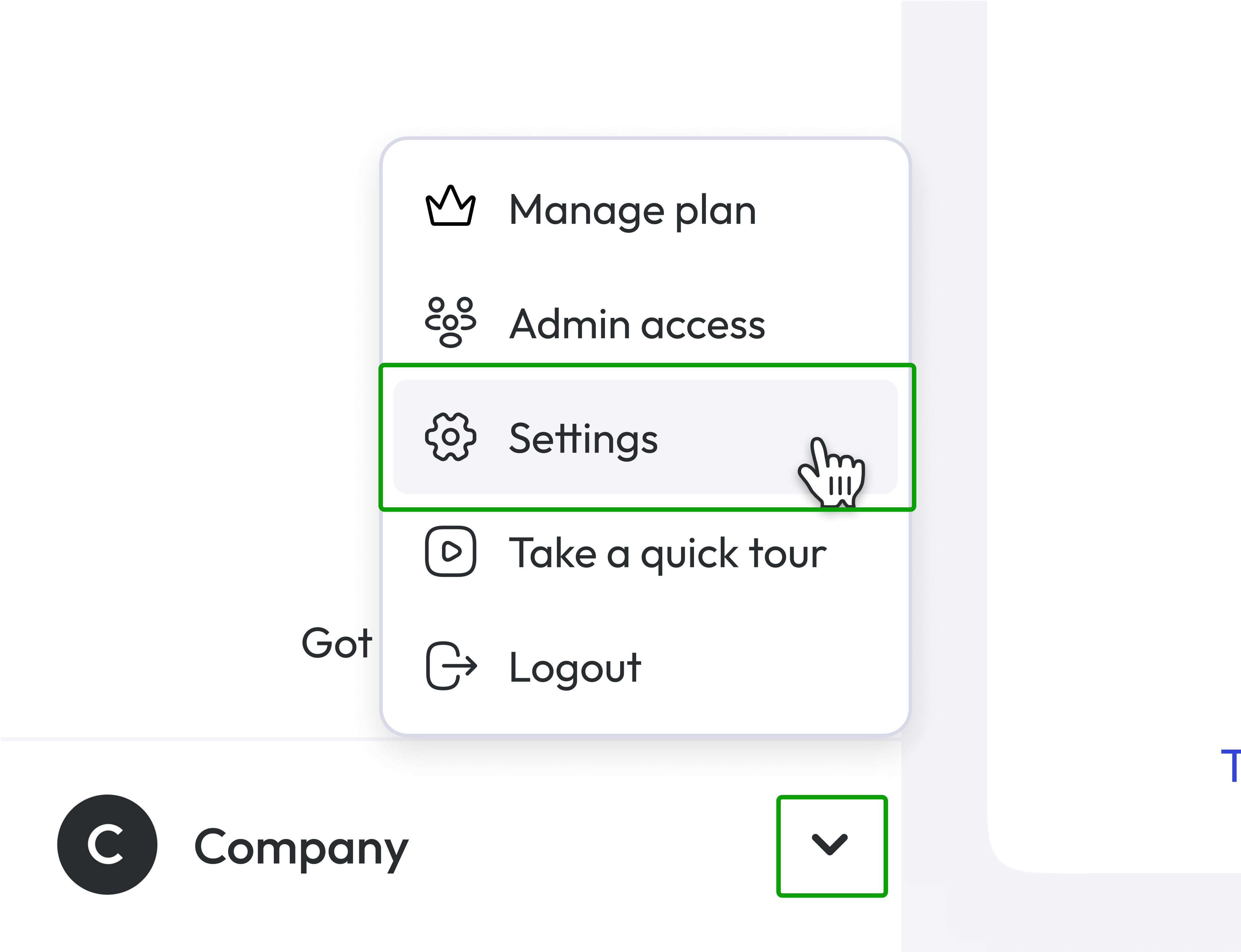
Settings from Company contextual menu
  1. Click AI recruiter settings.
  2. Enable the toggle for AI Recruiter company context.
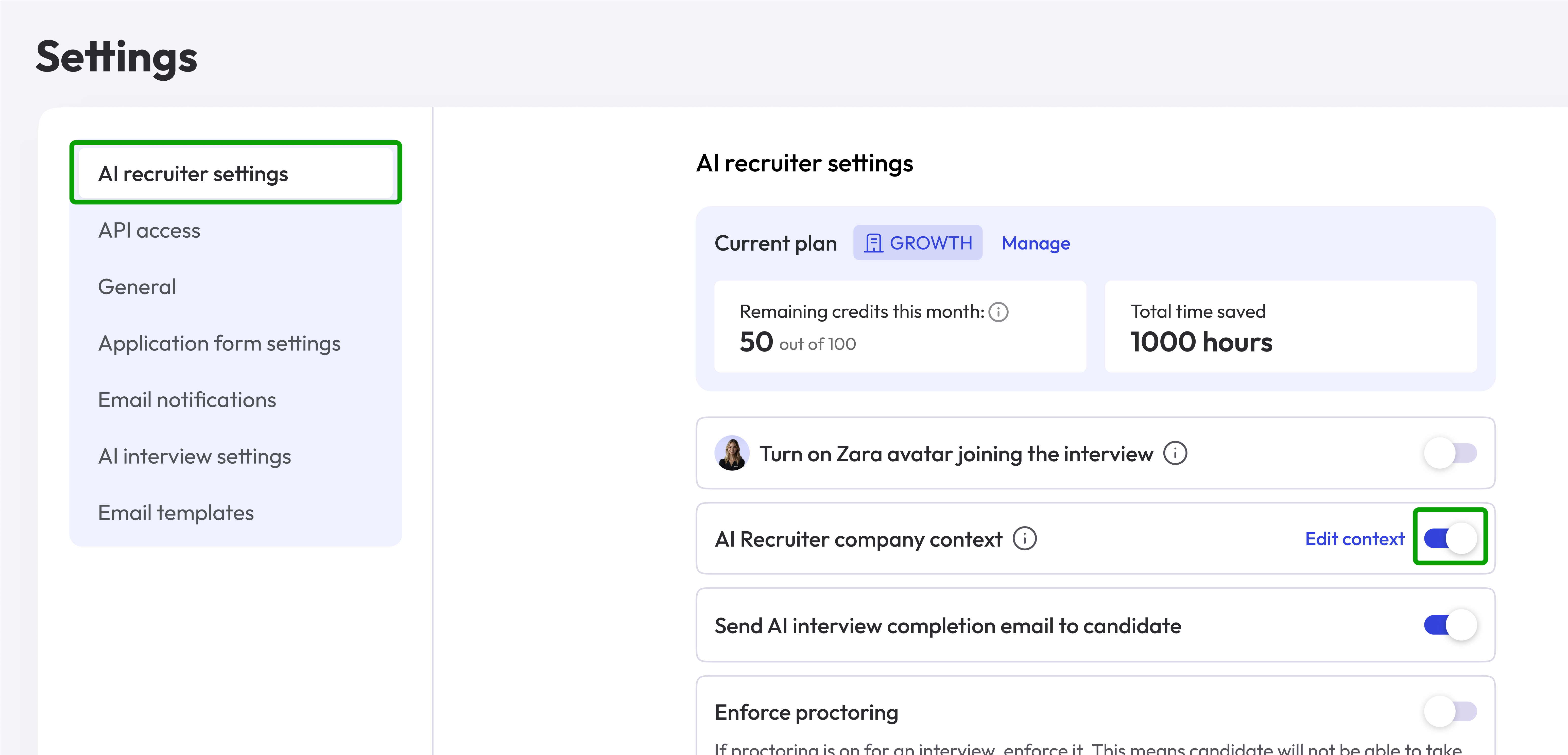
Company Context Settings page To edit your company context:
  1. Click on Edit Context link of the AI Recruiter company context box.
  2. On the left side of the page you will see categories of informations.
  3. On the right side you have an URL input and a textarea that you must fill with the content that will be used by Zara to answer the candidates.
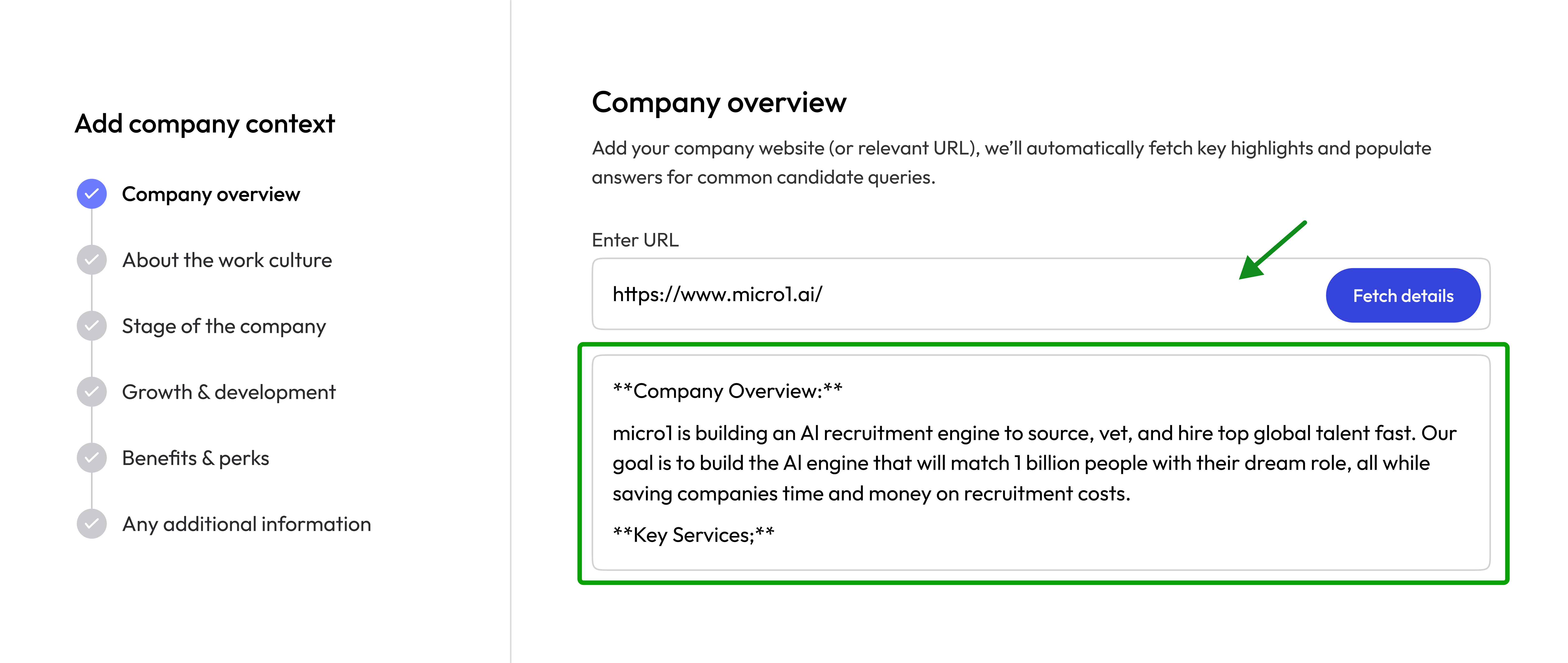
Company Context Editor page
  1. Fill the textarea with the relevant information and click Next until you fill all categories, then Save.
If you have a web page that contains the information, like a Carrers website, you can paste the URL of the page in the URL input and click Fetch Details. Our AI system will read the page and produce a summary of the information for you to review and update if necessary.
Do not type just the URL in the box and move to the next step. You need to have the content inserted in the big text box before moving to the next page.