

How It Works
The Talent Pool feature allows you to define minimum skill, exercise, and proctoring criteria that determine who qualifies as a certified talent.Any candidate who meets or exceeds those criteria will automatically be added to your pool.
Step 1. Enable the Talent Pool Feature
To start using this feature, go to Settings → Talent Pool and turn on“Define your talent pool’s certification criteria.”
Step 2. Define Certification Criteria
Once enabled, the setup form will appear, allowing you to configure your own certification rules. a. Skill Ratings
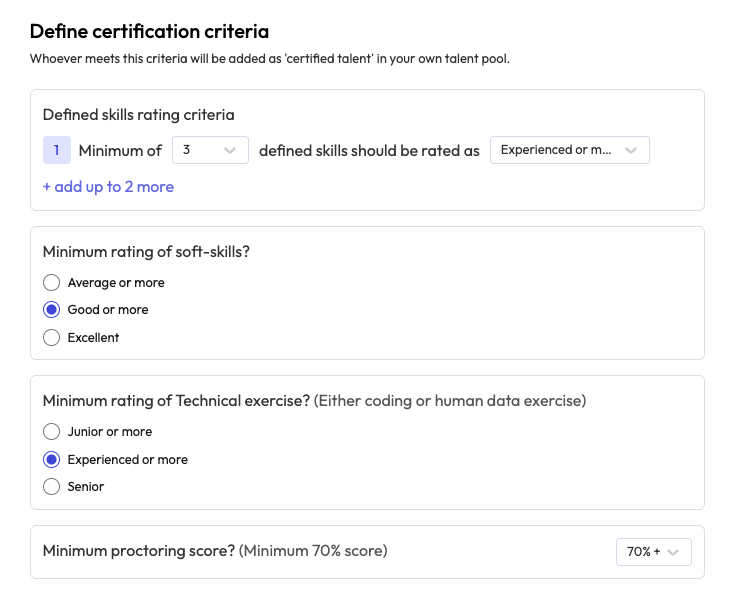
Select how many skills (out of the total skills assessed in the AI interview) should meet a specific rating threshold.
For example, if your interview evaluates 5 skills and you choose “Minimum 3 skills rated Experienced or more,”
Then any candidate with 3 or more skills rated Experienced+ will be certified. b. Soft Skills Rating
Choose the minimum rating you’d like to consider for soft skills.
Options include Average or more, Good or more, or Excellent. c. Technical Exercise Rating
Define the minimum performance level required for either the coding or human data exercise.
You can set this to Junior or more, Experienced or more, or Senior. d. Proctoring Score
Set the minimum acceptable proctoring score (e.g., 70%+).
Only candidates with a score above this threshold will be considered valid and added to the pool.
Step 2. View Certified Talent
Once the criteria are saved, a new menu item labeled Certified Talent will appear in your main dashboard.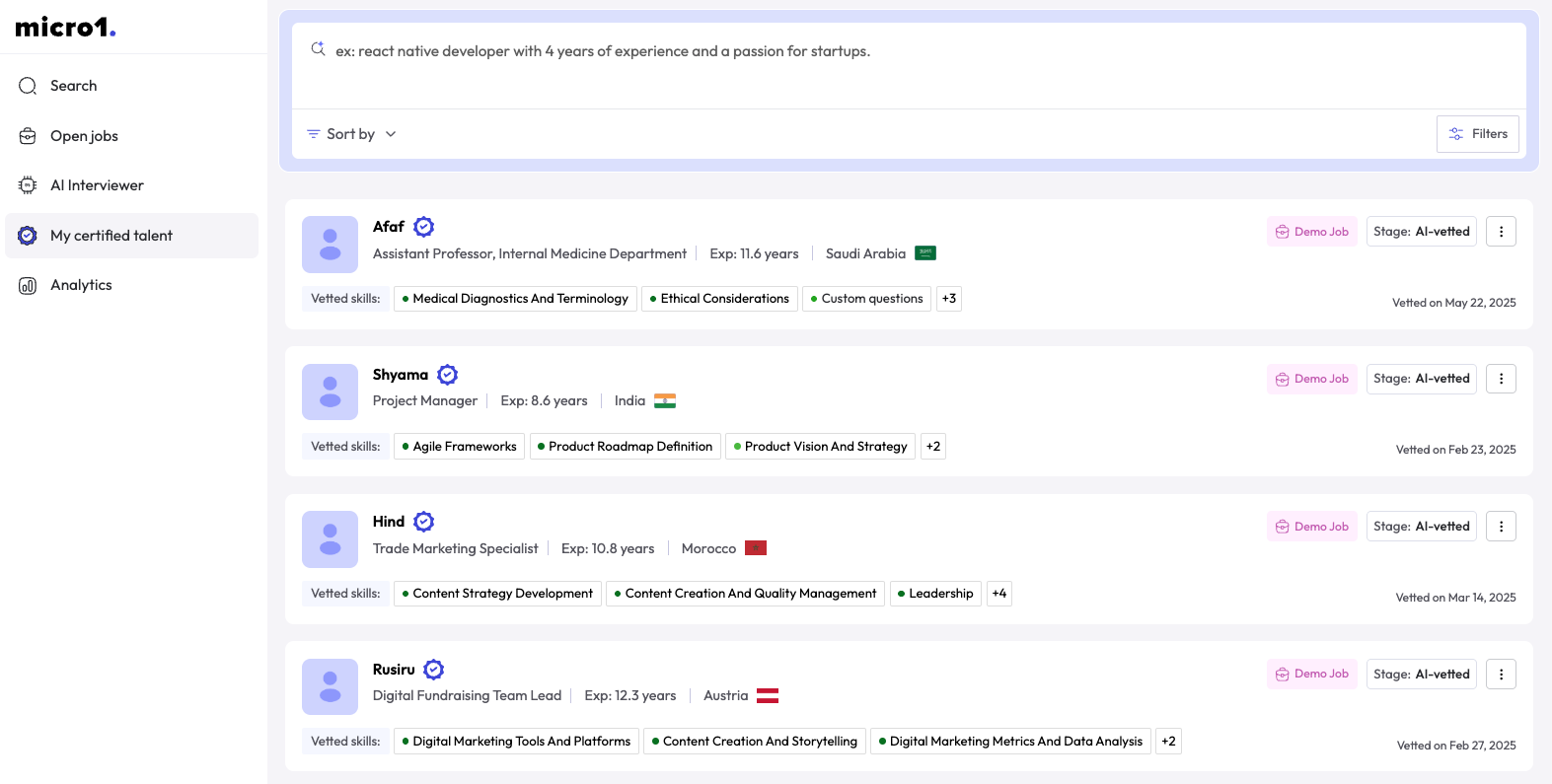
- View all certified candidates who meet your defined standards
- Search or filter based on skills or scores