

Email Templates
Overview
Email templates allow you to create reusable email content for candidate communications.Finding the Email Templates Page
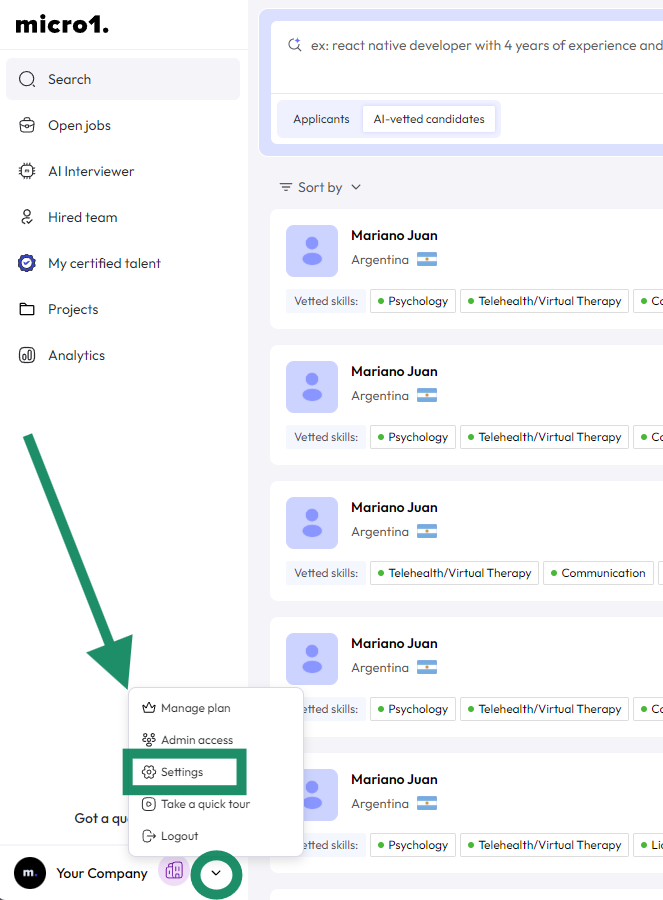
- Log in to your dashboard
- Navigate to Settings
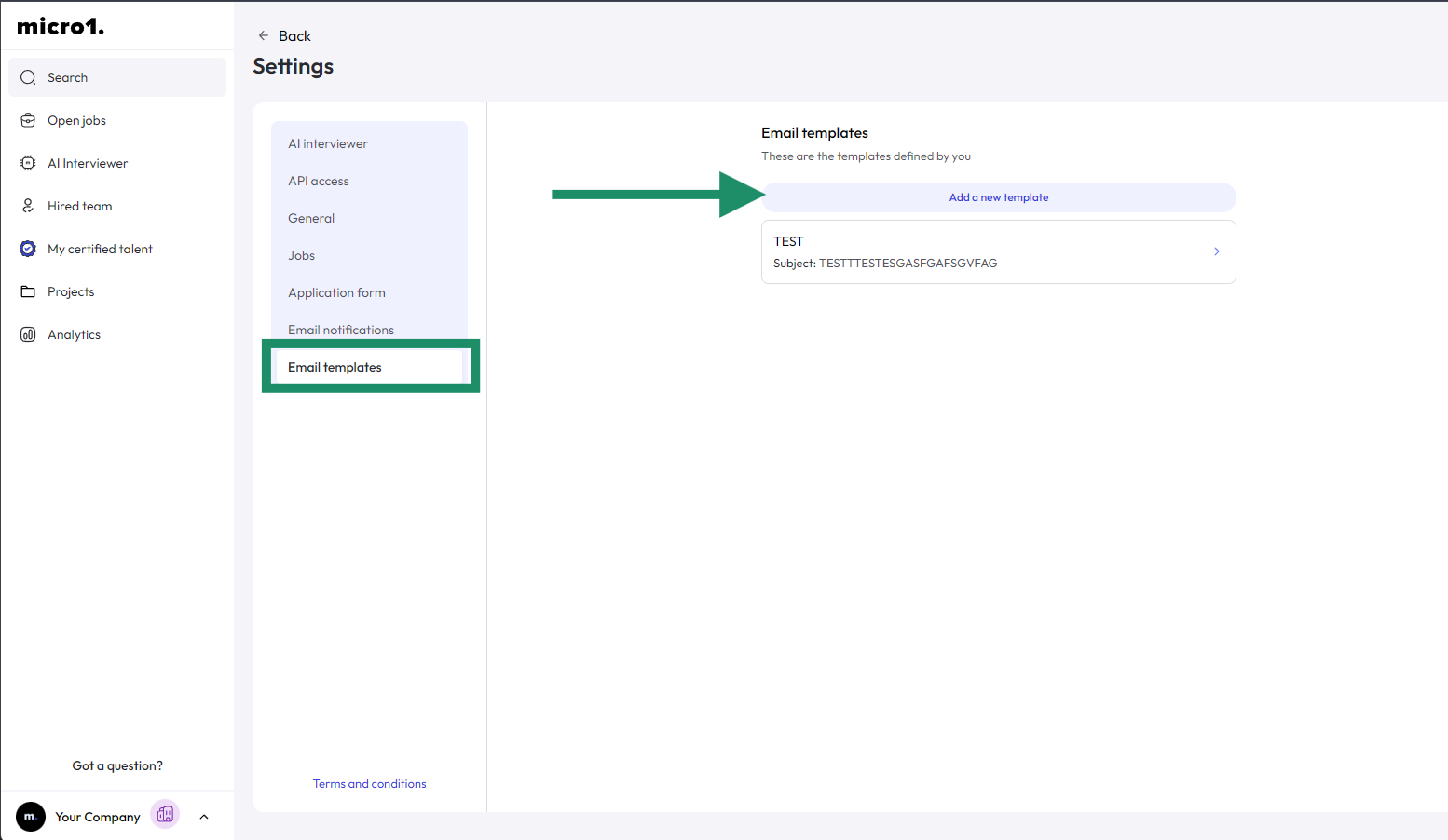
- Select Email Templates
Creating a New Template
- Click Add a new template button
- Enter email name, subject, content, etc.
- Find more details about Dynamic Tags here
- Save and activate