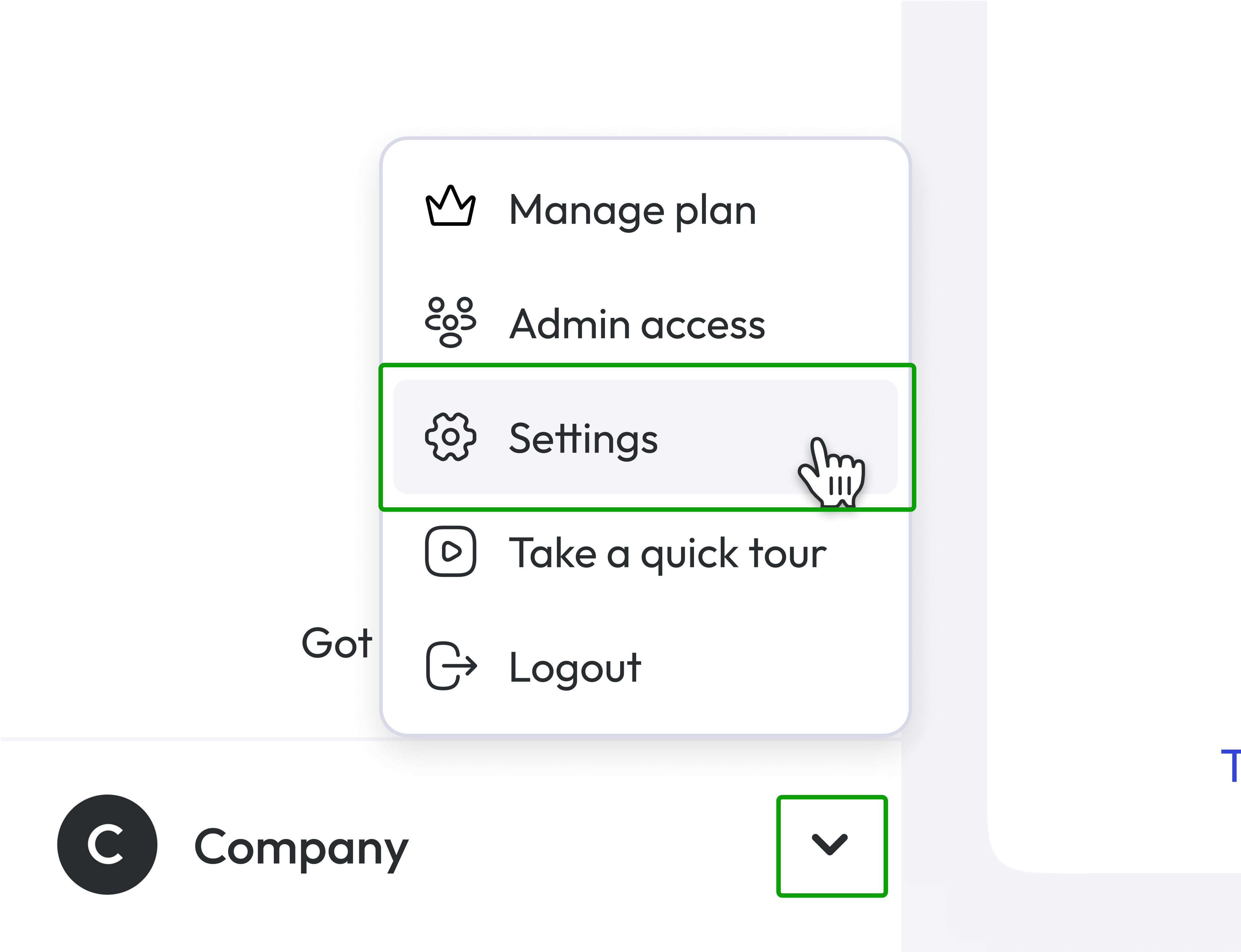
- Click on the little arrow, in the bottom left of the page and then Settings.
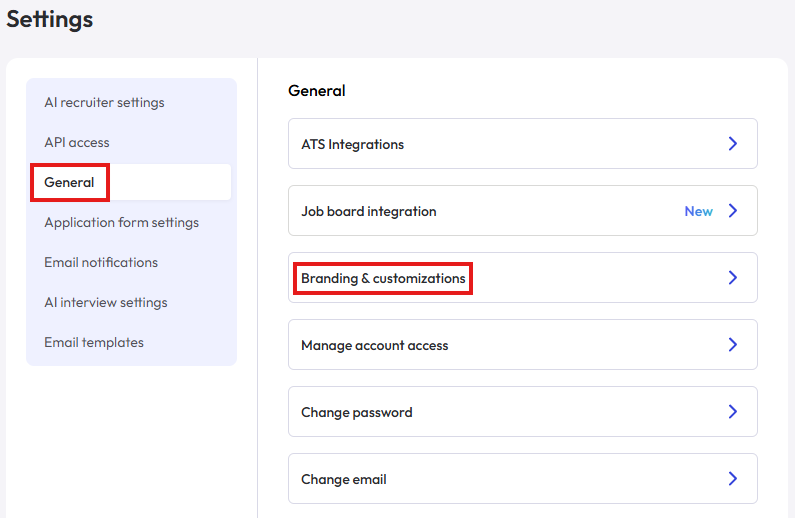
- Click General and then Branding & customizations
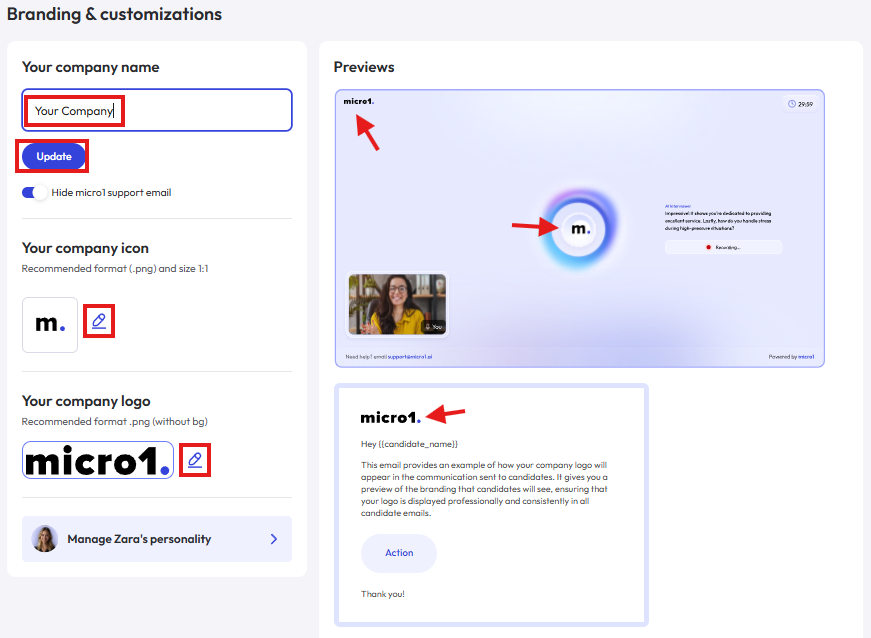
- In Your company name, type the name of your company how you want it to be shown and spoke by Zara, then click Update.
- In Your company icon, upload an image to be used as your AI avatar.
Use a PNG file with 1:1 aspect ratio and white background.
- In Your company logo, upload an image to be used as your company logo both in the interview page and in emails sent to your candidates.
Use a PNG file with any aspect ratio and a transparent background.An horizontal logo ready for light/white backgrounds will provide the best results.