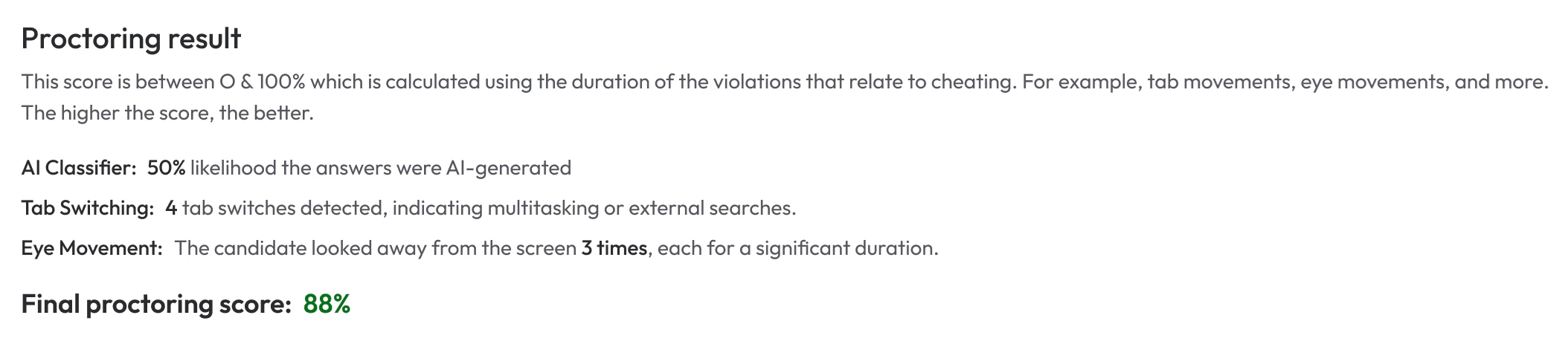
Proctoring Result While Zara uses AI to conduct intelligent and adaptive interviews, some candidates may attempt to cheat using external tools or assistance to improve their performance. Common tactics include:
  • Using multiple screens
  • Consulting mobile devices
  • Receiving off-screen help
  • Leveraging AI companions like ChatGPT, Copilot, or others to generate answers
To maintain interview integrity, you can enable Proctoring — a feature that allows Zara to monitor candidate behavior and detect suspicious activity during the interview.

How Proctoring Works

Proctoring can be enabled per interview via Advanced Settings when creating or editing an interview. Proctoring Toggle When enabled, candidates must:
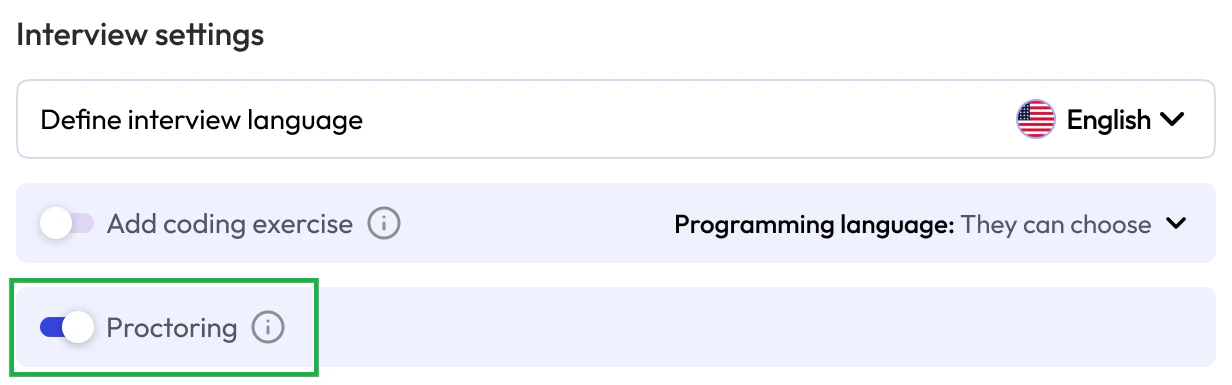
  • Share their entire screen with Zara
  • Use a webcam throughout the interview
  • Limit their setup to one screen
During the interview, Zara monitors and logs the candidate’s environment and actions. After completion, the data is analyzed using the Ava Model — micro1’s most accurate proctoring model, with a 93% success rate in detecting cheating.
Each proctored interview receives a Proctoring Score, along with a breakdown of flagged behaviors.Zara also detects whether responses are likely AI-generated and alerts you accordingly.
Zara allows you to enforce proctoring across your entire account or on a per-job basis.When proctoring is enforced, any action that prevents Zara from applying proctoring rules — such as adding a second monitor, cancelling screen sharing, or turning off the webcam — will result in the interview being suspended.Candidates may resume the interview once they revert the action and comply with the proctoring requirements.